
Overview of Active Directory
A high level overview of Active Directory
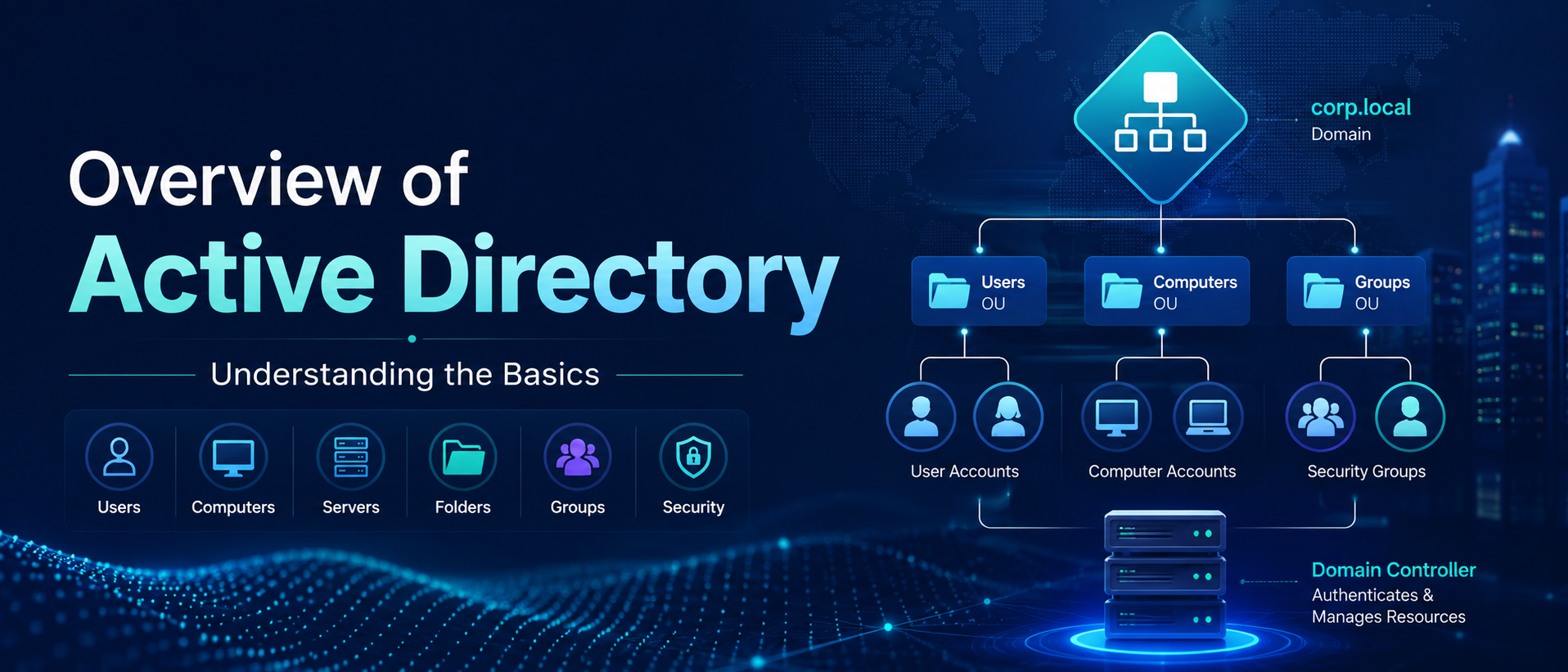
Active Directory is a directory service developed by Microsoft and used to manage Windows domain networks. Think of it like a phone book for Windows that is used by 95% of Fortune 1000 companies. It stores information related to objects like computers or users and organizes those objects using a centrally controlled Domain Controller. Active Directory also provides user authentication using Kerberos tickets.
It is the most commonly used identity management service in the world, and it can be exploited by abusing features and components without ever attacking patchable vulnerabilities.
Active Directory Components
Active Directory is made up of both physical and logical components. The main physical component is the Domain Controller, which hosts a copy of the AD DS directory store, provides authentication and authorization services, and allows administrative access to manage network resources, users, groups, and policies. Think of it like a centralized database that stores information for every user, computer, printer, and device on the network. The Domain Controller is usually a centralized server where you can change passwords, add/delete users, and apply security policies
The logical components include partitions, schemas, domains, domain trees, forests, sites, and organizational units (OUs).
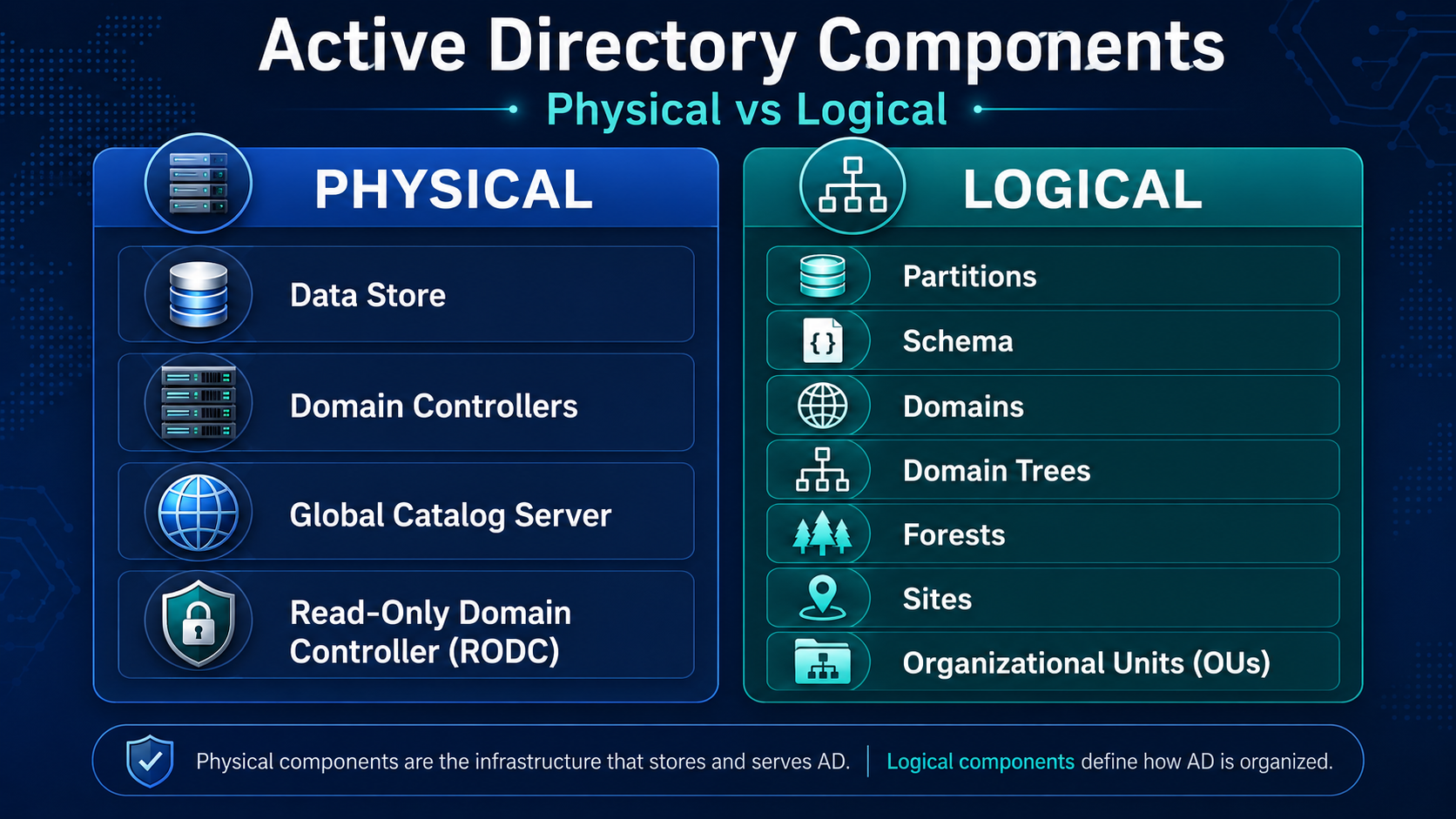
The AD DS Data Store contains the database files and processes that store and manage directory information for users, services, and applications. It consists of the NTDS.dit file, which is typically stored in: %SystemRoot%\NTDS folder on the domain controller. This file can be used by attackers to extract valuable information such as user credentials, groups, domain members, and access rights. For that reason, it is only accessible through domain controller processes and protocols.
The AD DS Schema acts as a blueprint that defines every type of object that can exist in the directory and enforces rules around those objects. Class Objects define what can be created (users, computers, etc.). Attribute Objects define the data attached to those objects (display name, email, etc.)
Domains, Trees, and Forests
Active Directory is organized into layers. The main structure is the Domain. Domains are an administrative, authentication, and authorization boundary that allows the domain admin to limit user access to resources, apply policies to groups of objects, and replicate data between multiple domain controllers. Think of this as a logical group of network objects and devices, like printers, faxes, VoIP, computers, and users that all share the same, replicable database.
A domain tree is a collection of domains or domain trees that help limit access to users, computers, and devices within a standard directory schema, directory configuration, and logical structure. All domains in the tree share a contiguous namespace with the parent domain, can have additional child domains, and create a two-way transitive trust with other domains.
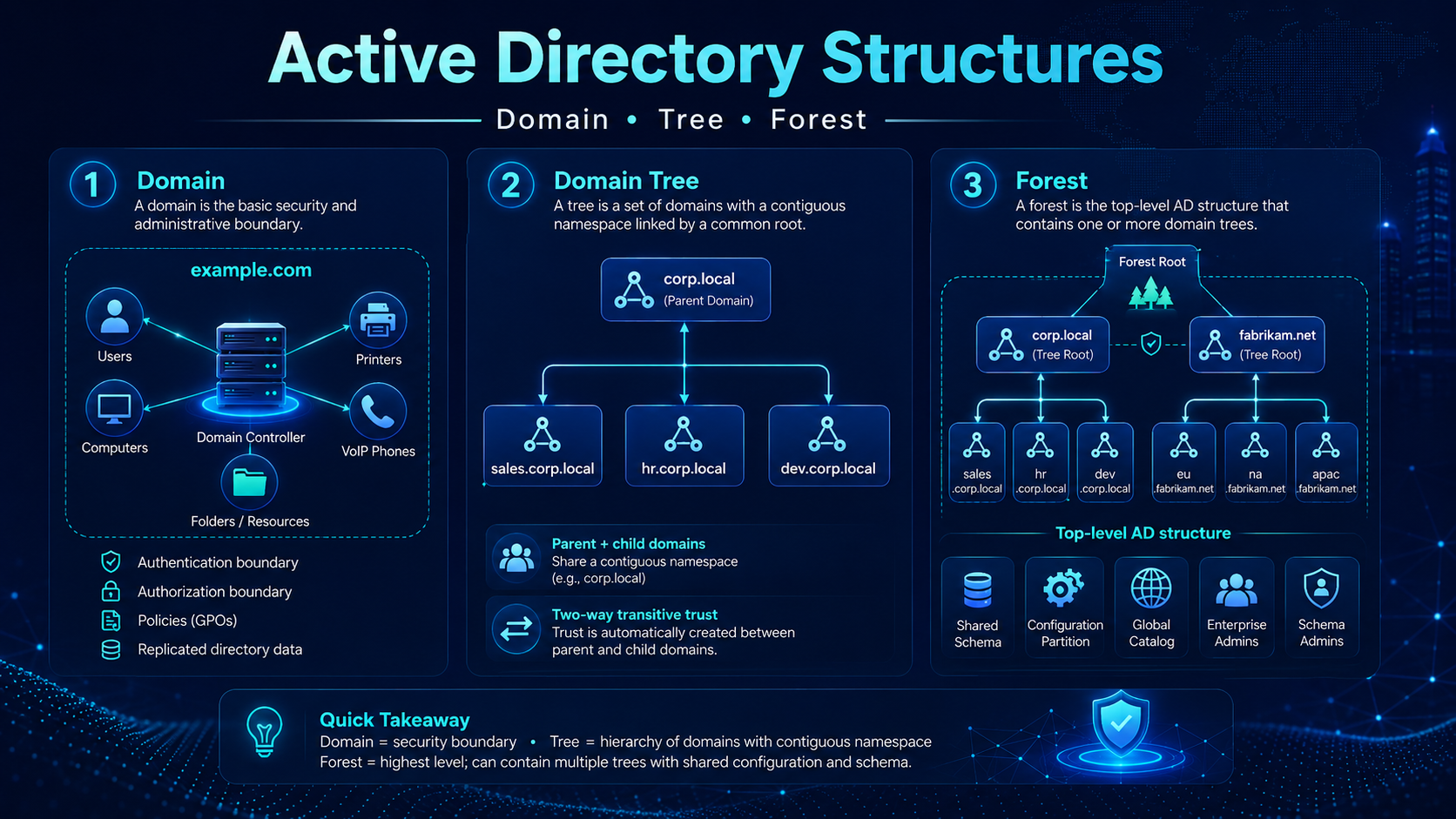
A collection of one or more domain trees is called a forest. Each tree in the forest shares a common schema, configuration partition, and global catalog for searching. They also share the Enterprise Admins and the Schema Admins groups. Forests provide a way to enable trust between all domains within the forest. The forest is the top level structure of Active Directory.
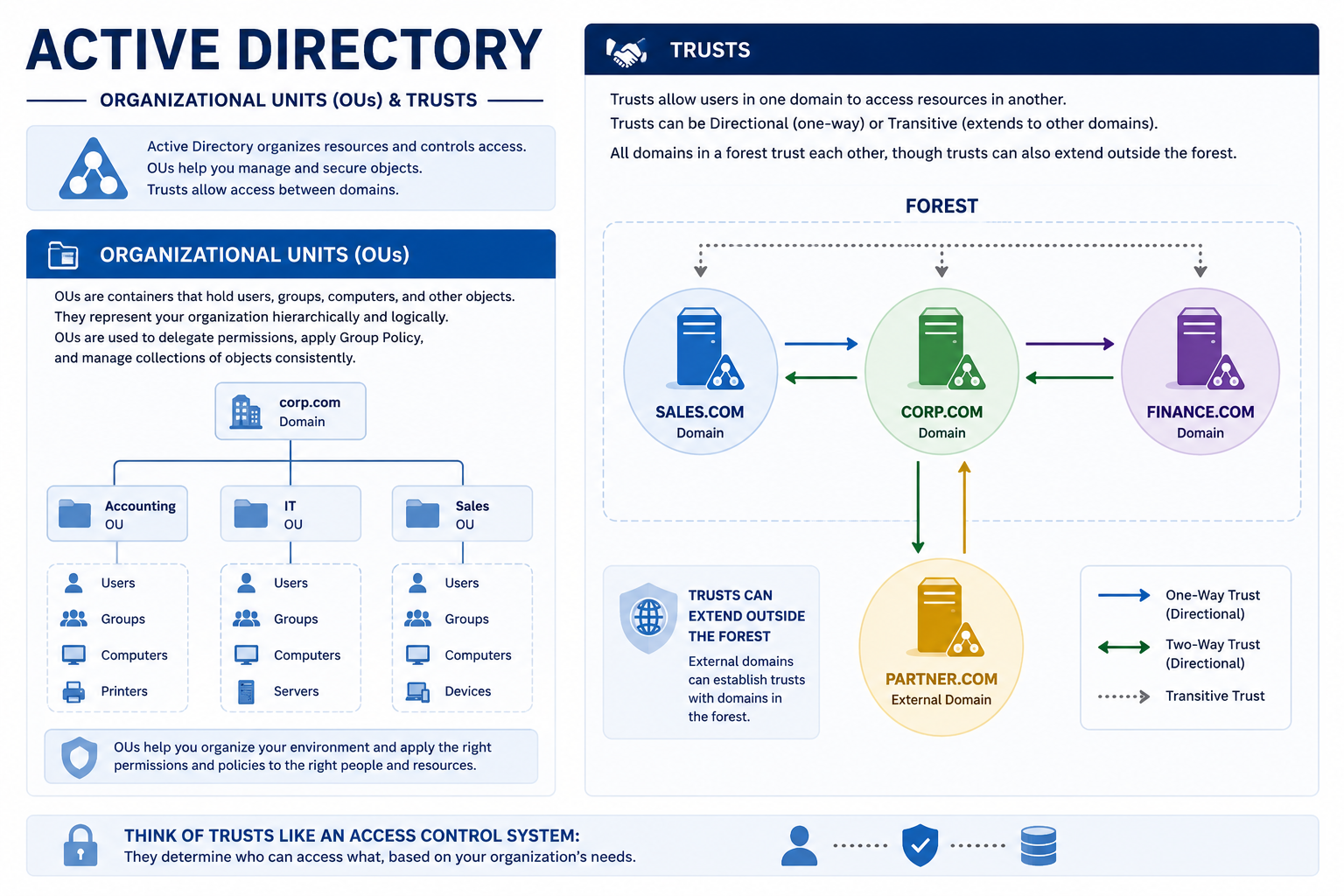
Objects in AD are broken into Organizational Units (OUs). OUs are containers that contain users, groups, computers, etc. Organizational units represent the organization hierarchically and logically and can be used to delegate permissions to administer groups of objects, apply group policies, and manage collections of objects in a consistent way.
Trusts allow users in one domain to access resources in another. Trusts provide a mechanism for users to gain access to resources in another domain. For example, say you are in the account department but need access to the shipping database. Trusts allow individual user permissions to be adjusted based on their role or company need. Trusts can be Directional, which is when the trust direction flows from one trusting domain to another trusting domain, or Transitive, in which the trust relationship is extended beyond a two-domain trust to include other trusted domains. Think of trusts like an access control system determining who can access what.
All domains in a forest trust each other, though trusts can also extend outside the forest.
Objects
Objects are the basic building blocks of Active Directory.
Examples include users, groups, computers, and printers.
- User → enables access to network resources
- InetOrgPerson → similar to a user; used for compatibility
- Contacts → stores external contact information (no login access)
- Groups → simplifies access control
- Computers → allows authentication and auditing
- Printers → simplifies locating and connecting to printers
- Shared Folders → allows searching for shared resources
Final Thoughts
Active Directory relies on LDAP, DNS, and Kerberos.
Given that 95% of Fortune 1000 companies use Active Directory, understanding how it works is critical when learning how to attack it. When attacking Active Directory, you do not need traditional exploits or malware. You can abuse or exploit built-in functionality to obtain user, admin, or even domain controller access.
Learning Active Directory is a vital skill for pentesters in 2025, and it is also necessary for passing the OSCP exam, which remains the gold standard in penetration testing certifications.
Happy Hacking!