
Cross-Site Scripting
Dom, reflected, and stored cross-site scripting
When I was in college around 2008–2009, I accidentally fell into freelance web design. Like most millennials, I learned basic coding through MySpace and AngelFire. Pages would autoplay emo songs, sparkle with glitter, and use simple HTML and CSS. One could easily get by with just HTML and CSS, especially for self hosted websites, because most sites were more informational than interactive. As the web evolved, more sites began using JavaScript, which I hadn't bothered to learn. I was working full time and going to college full time, so learning a new programming language felt like... a lot, and that is where my web design journey ended.
Today, JavaScript is used on roughly 98 percent of all websites. JavaScript is a client-side programming language used to add interactivity to web pages, including things like dynamic content, animations, form validation, and user interaction. With more advanced functionality comes more advanced vulnerabilities. One of the most common is called Cross-Site Scripting (XSS).
Cross-Site Scripting (XSS)
A typical web application sends HTML from the server to the client, where it is rendered in the browser. If user input is not properly sanitized, attackers can inject malicious JavaScript into input fields such as forms. This type of attack can be used to steal cookies or session data, capture login credentials, modify page content, and create fake login forms that can be used for social engineering attacks. XSS vulnerabilities execute entirely on the client side and do not directly modify the back end.
Types of XSS
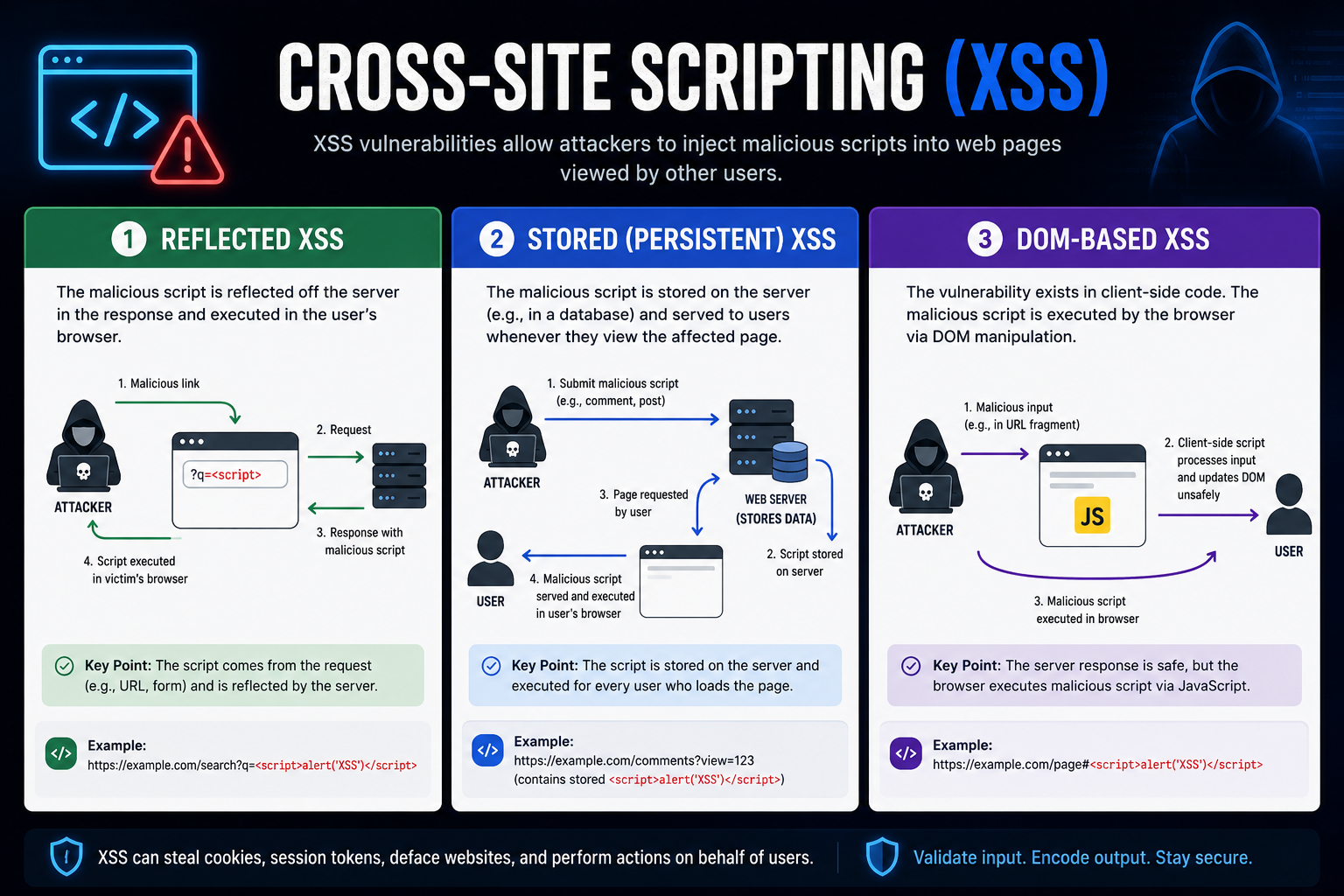
There are three main types of XSS:
-
Reflected XSS - Input is processed and immediately returned in the response. It is not stored and usually only affects the user who triggers it.
-
Stored (Persistent) XSS - Payload is stored on the server or database and executes for every user who visits the page. This is the most dangerous type.
-
DOM-Based XSS - Executed entirely on the client side when JavaScript modifies the DOM using unsanitized input.
Reflected XSS
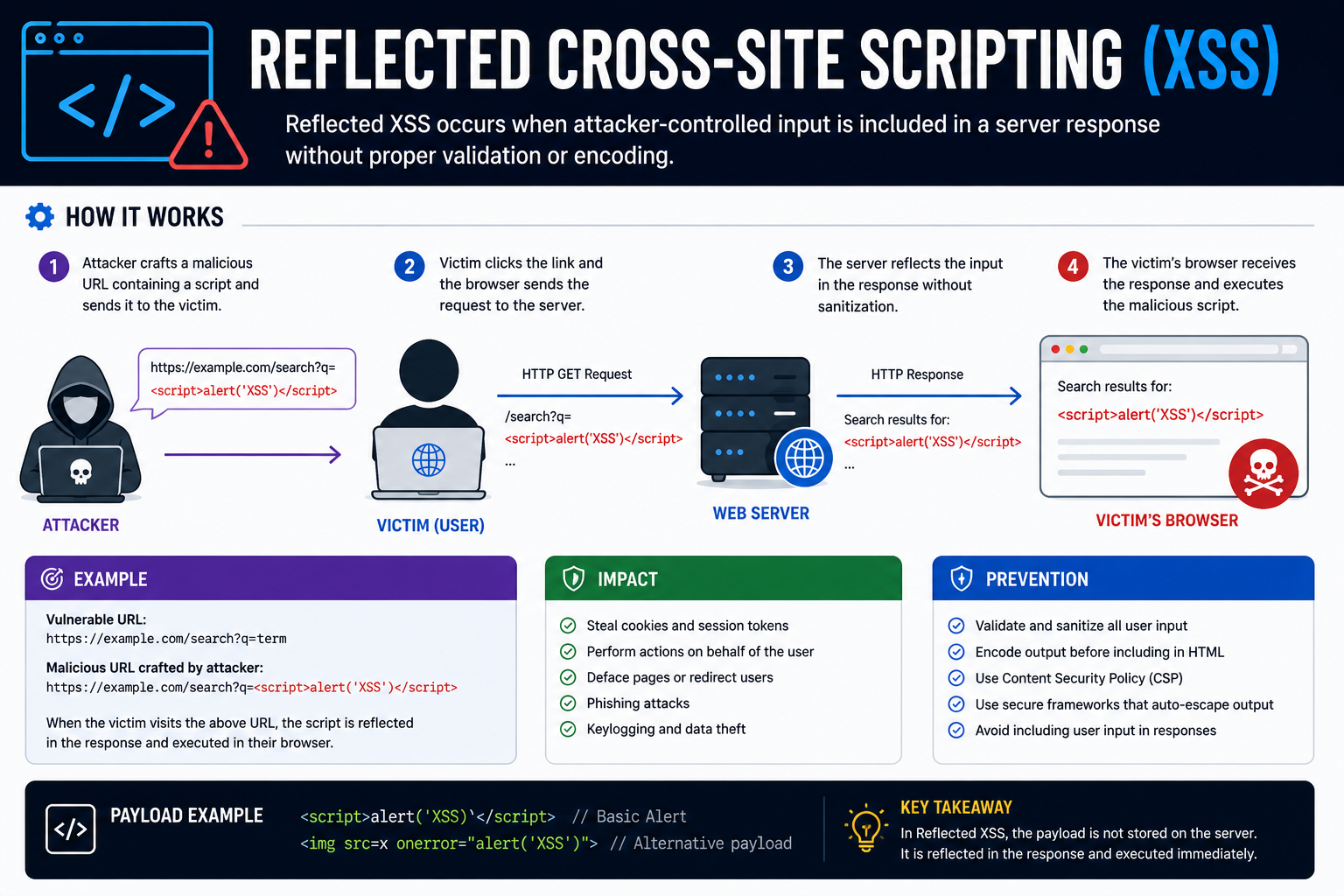
Reflected XSS is a type of non-persistent XSS, though it is processed by the back-end server. Non-persistent XSS vulnerabilities are temporary and not persistent through page refreshed, which means reflected XSS attacks only affect the targeted user and will not affect any other users who visit the page. Reflected XSS occurs when our input reached the back-end server and gets returned without being filtered or sanitized. All o part of our input might get returned back to the user, like error messages of confirmation messages.
Lets say that we have a simple To-Do List web app where the user can input a task, which will then be added to a to-do list. We can test the app by entering a simple 'test' to see what happens.
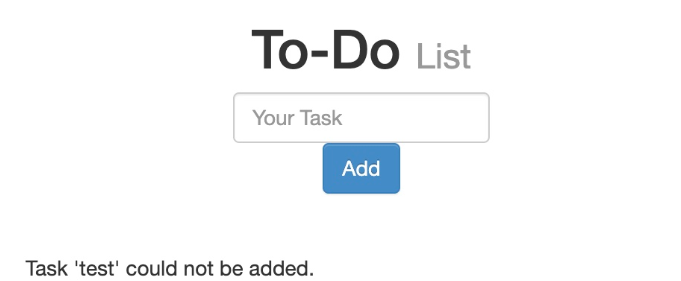
In this case, input is reflected directly in the response, meaning the error message includes the string 'test' that was submitted. If the input isn't sanitized, it might be vulnerable to XSS. We can test whether the page is vulnerable to XSS with the following basic payload:
<script>alert(window.origin)</script>There are many payload options, but this particular payload is a simple and it is east to tell when our XSS payload is successfully executed. Lets say we have a page that allows any input without restrictions and doesn't perform any sanitization on that input.
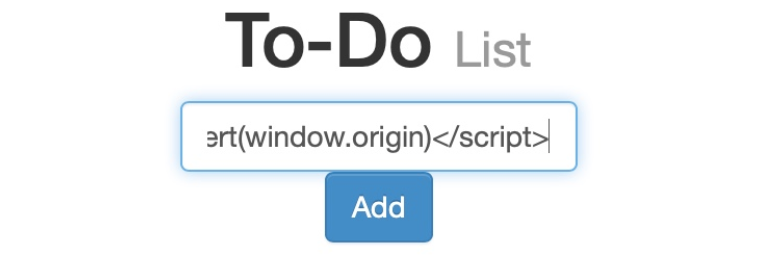
Once we click "Add", we get the following pop-up alert:
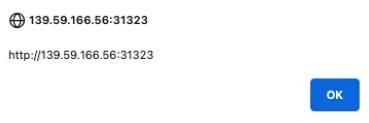
We should also get the same error message as before, but with single quotes: Task '' could not be added. Since we wrapped our payload with the <script> tag, it doesn't get rendered by the browser, which is why we get the empty single quotes. Once the page refreshes, the payload disappears. This is what makes it non-persistent. If we look at the page source, we can confirm that the error message does actually include our XSS payload:
<div></div><ul class="list-unstyled" id="todo"><div style="padding-left:25px">Task '<script>alert(window.origin)</script>' could not be added.</div></ul>Since this is a non-persistent attack that disappears when we refresh, how is this useful? How can we target anyone if it only applies to the current user? Well, we have to look at the type of HTTP request used to send our input to the server. To check this, open the Developer Tools in Firefox (Ctrl + Shift + I) and select the Network tab. Now lets try our test payload again.
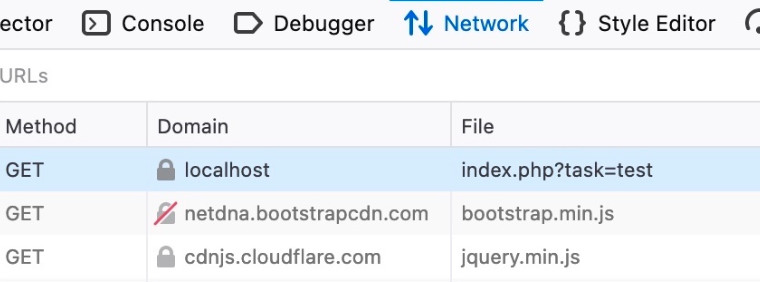
The first row shows us that our requerst was a GET request, which sends parameters and data a part of the URL. This allows an attacker to send a malicious URL containing our payload. To get the URL, we can right click the GET request in the Network tab and select Copy > Copy URL. Once the victim visits the URL, the XSS payload will execute.
Stored XSS
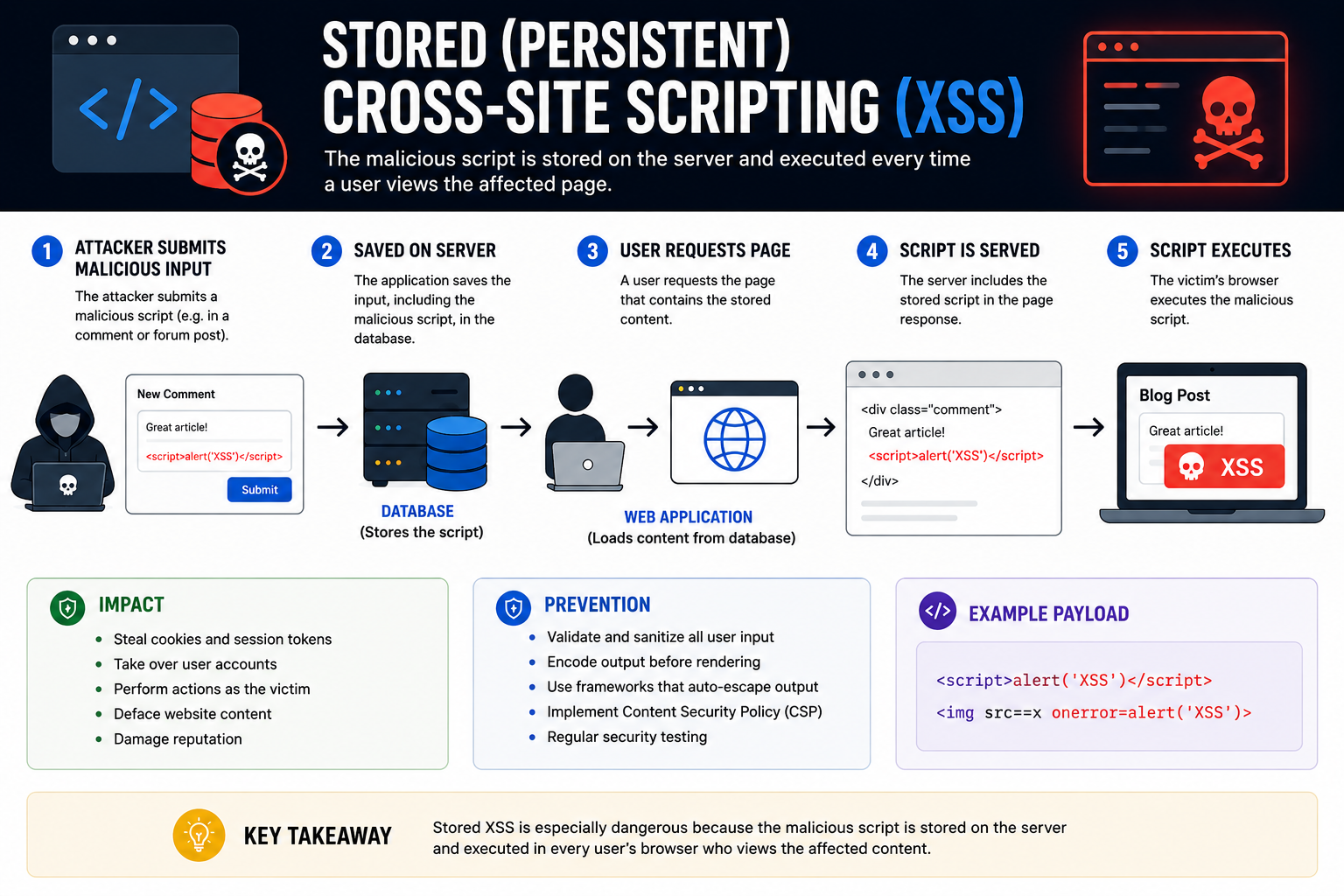
The most critical type of XSS vulnerability is Stored XSS, also called Persistent XSS. With this attack, our injected XSS payload gets stored in the back-end database and retrieved on visiting the page, which means our attack is persistent and may affect any user that visits the page. This is what makes it the most critical vulnerability - it affects all users who visit the site rather than just the one localized user. Stored XSS is difficult to remove as the payload needs to be remobed from the back-end database. That means that the payload will still execute if you refresh as well, unlike Reflected and DOM based XSS.
Lets look at the same To-Do List app above. We will first try a simple string to see how the page handles it.
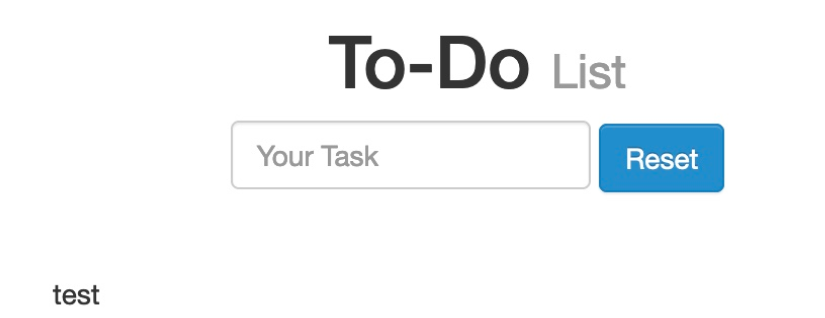
As we can see, our input was displayed directly on the page. If no sanitization of filtering was applied to our input, the page might be vulnerable to XSS. Lets try our test payload from before.
<script>alert(window.origin)</script>With this payload, the alert should pop up with the URL of the page on which it is being executed either directly after we enter the payload or after we refresh the page.
Once again, we get the alert, which means this page is vulnerable to XSS as our payload executed successfully. Just as before, we can confirm this by looking at the source code (Right Click > View Source).
<div></div><ul class="list-unstyled" id="todo"><ul><script>alert(window.origin)</script>
</ul></ul>
Some modern browsers block the alert() JavaScript function in certain locations, so it is helpful to know a few other basic payloads. The following payload will stop rendering the HTML code that comes after it and instead display it in plain text:
<plaintext>Another easy one is the print() function, which will pop up the browser print dialogue. This one is unlikely to be blocked by browsers.
<script>print()</script>The persistent nature of stored XSS attacks allows attackers to do things like deface websites, inject malicious scripts, redirect users to malicious sites, alter website content, and/or deliver malicious content to the user.
DOM-Based XSS
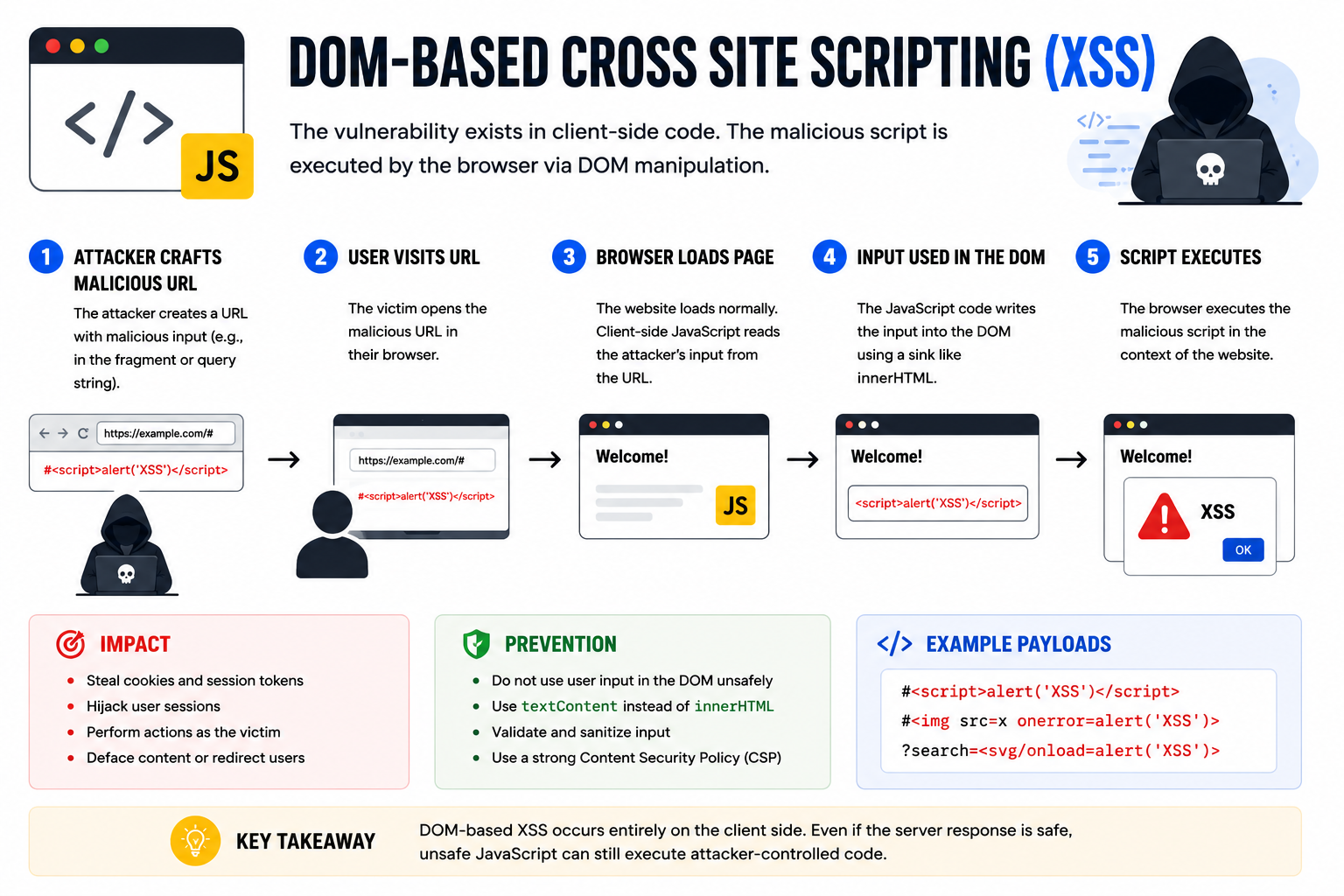
The final type of XSS is another Non-Persistent type called DOM-based XSS. While reflected XSS sends the input data to the back-end server through HTTP requests, DOM-based XSS happens entirely in the browser client-side through JavaScript. DOM XSS occurs when JavaScript is used to change the page source through the Document Object Model (DOM). Lets look at the same To-Do List Web App as before and start with a test input.
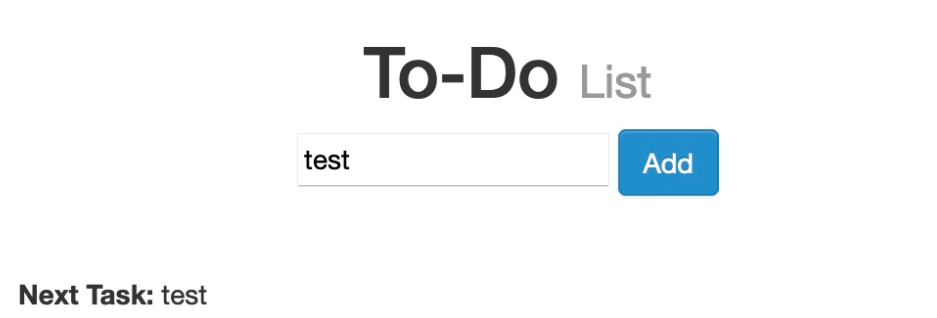
If you do not see an HTTP request in your browser DevTools, the payload is likely handled client-side.
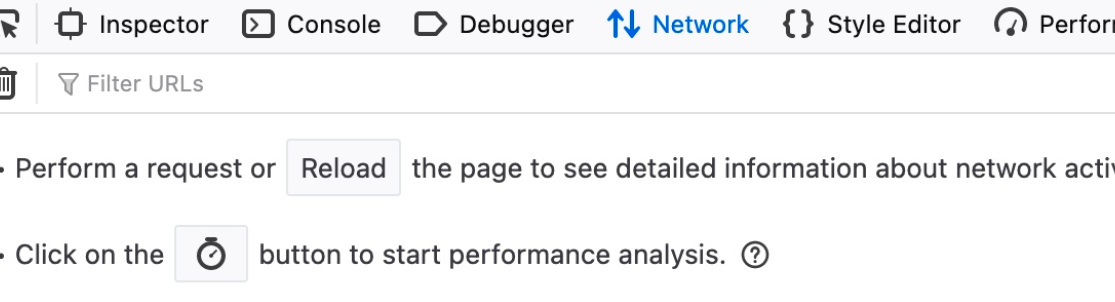
If you see the URL is using a hashtag (#) for the item we added, that is another indication that this is a client-side parameter that is completely processed in the browser. Basic script tags may not work due to protections, but other payloads can. If we try the payload we used previously, it will not execute. The reason for this is a bit more complicated and is to do with Source and Sink of the object displayed on the page. Very briefly, the Source is the JavaScript object that takes the user input. The Sink is the function that write the user input to a DOM object on the page. If the sink function does not properly sanitize the user input, it would be vulnerable to an XSS attack. Some commonly used JavaScript functions to write DOM objects are:
document.write()DOM.innerHTMLDOM.outerHTML
Basically, the previous payload will not execute because the innerHTML function does not allow the user of the <script> tags within it as a security feature. There are plenty of other payloads we can use, though, like the following XSS payload:
<img src="" onerror=alert(window.origin)>This line creates a new HTML image object with a onerror attribute, which will execute if the image is not found. If we provide an empty image link (" "), the code should always get executed without having to use the <script> tags.
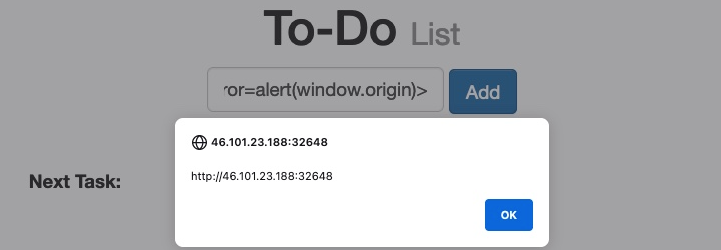
To target a user with a DOM XSS, you can copy the URL from the browser and share it with them, just like the reflected XSS. There may be instances where one or several payloads will not work. In those instances, we may need to use various payloads depending ont he security of the web application and the browser.
Finding XSS Vulnerabilities
As JavaScript, and with is XSS vulnerabilities, become more common, so too do the tools that can help detect XSS. A few common tools that can help identify XSS vulnerabilities include Burp Suite, Nessus, and OWASP ZAP. These tools can perform a passive scan, which analyzes code for potential vulnerabilities, or an active scan, which sends multiple payloads to try to trigger one.
While it can be time consuming, manual testing is still important. You can find lists of XSS payloads to try at PayloadsAllTheThings and PayloadBox. Trying multiple payloads and observing behavior is how you really understand what is happening. There are some tools you can use to automate this process, such as XSStrike, BruteXSS, and XSSer. Automation helps, especially in a time crunch, but understanding the underlying concepts is what actually makes you effective.
XSS is deep, nuanced, and constantly evolving. The tools will change as developers find ways to prevent XSS vulnerabilities, but the concepts stay the same. This is just a brief overview of what I have learned so far.
I hope this helps! Happy Hacking!