
SSH Pivoting, Tunneling, & Port Forwarding
Basic overview of pivoting, tunneling, & port forwarding with sshuttle
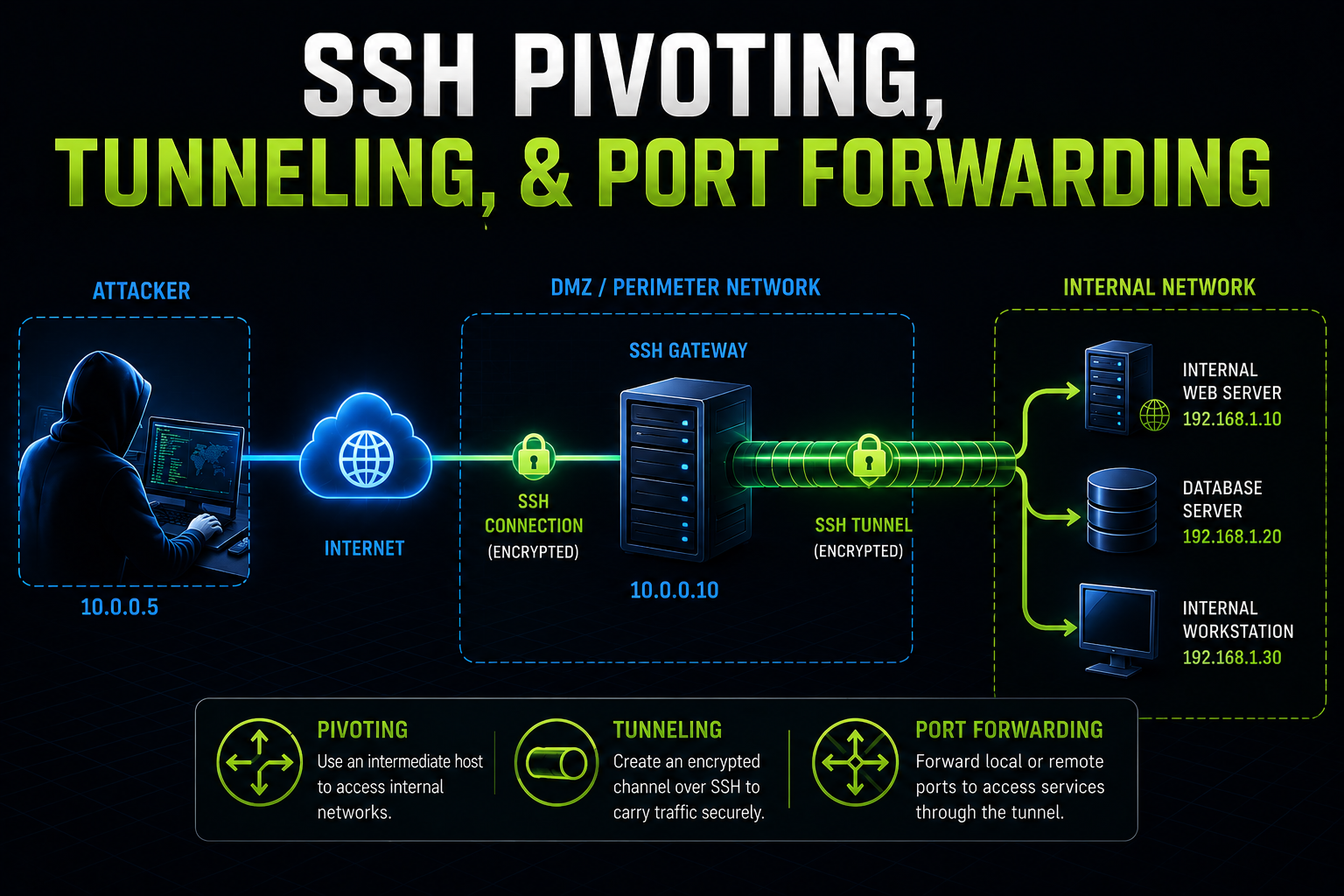
Pivoting
Every device that communicates across a network needs an IP address. This is usually assigned automatically via a DHCP server, but it is also possible to assign static IP addresses. Static IPs are common for servers, printers, routers, switch interfaces, and other critical infrastructure. Each IP address is tied to a Network Interface Card (NIC).
Imagine you are performing an internal network assessment and your goal is to compromise the domain controller, but you cannot reach any of the internal IP addresses from your attack machine. A common solution is to use a VPN. A VPN is a point-to-point encrypted tunnel between your machine and a remote network. It allows you to securely access internal resources and bypass restrictions like firewalls and ACLs. Platforms like Hack The Box and OffSec use VPNs to connect you to lab or test environments. In our case, we can establish a tunnel between our attack machine and a device that already has access to the internal network. This technique is called pivoting.
Pivoting is when an attacker uses a compromised system to access other systems within the network. For example, during an external penetration test, your attack machine does not have direct access to the internal network. However, you might discover an externally accessible web server. After enumeration, you find an admin or mail login page, brute force credentials, and gain access to an account that contains saved credentials and an SSH key. You use those credentials to access the server via SSH and run: ifconfig
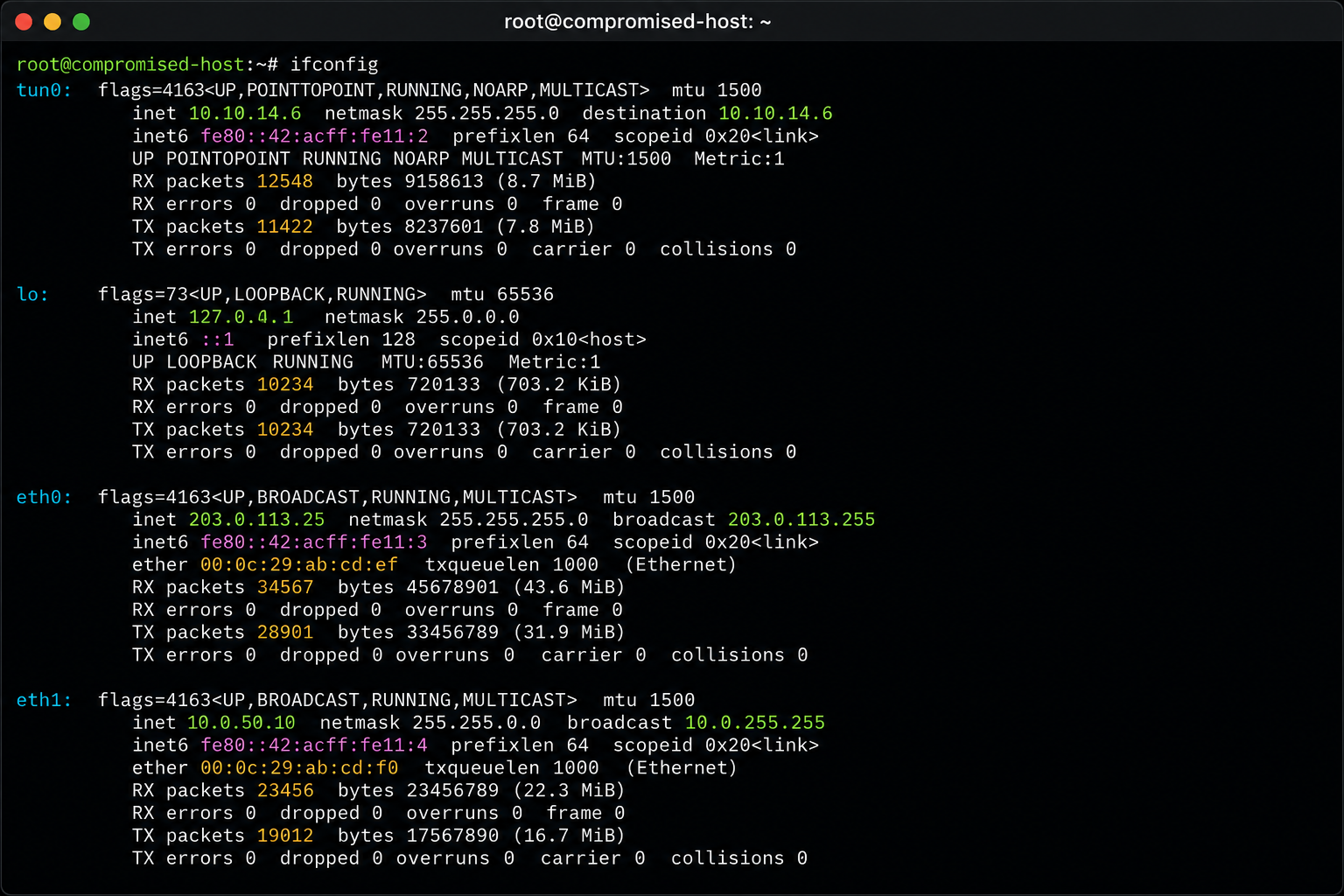
Each interface represents a different network:
tun0→ VPN interfacelo→ loopback (localhost)eth0→ public-facing interfaceeth1→ internal network interface
If both tun0 and eth1 are in the same subnet (for example 10.0.0.0/8), and the system is dual-homed, meaning it is connected to two networks, you can use it to access internal networks that were previously unreachable.
Pivoting is a form of lateral movement. You move through the network until you can escalate privileges. However, you cannot directly attack the internal network from your machine. You need to route traffic through the compromised system. There's a few specific ways you can do this, but for our purposes the two main methods are Tunneling and Port Fowarding.
Port Forwarding
Instead of running tools directly on the compromised machine (which may require root privileges and be noisy), you can route traffic through it. Simply put, Port forwarding sends traffic from one port to another. As the name implies, you are forwarding all traffic from one port on the pivot machine (the compromised host through which you will access the internal network) to a port you do have access to. This will allow you to run commands from your attack machine to the internal hosts.
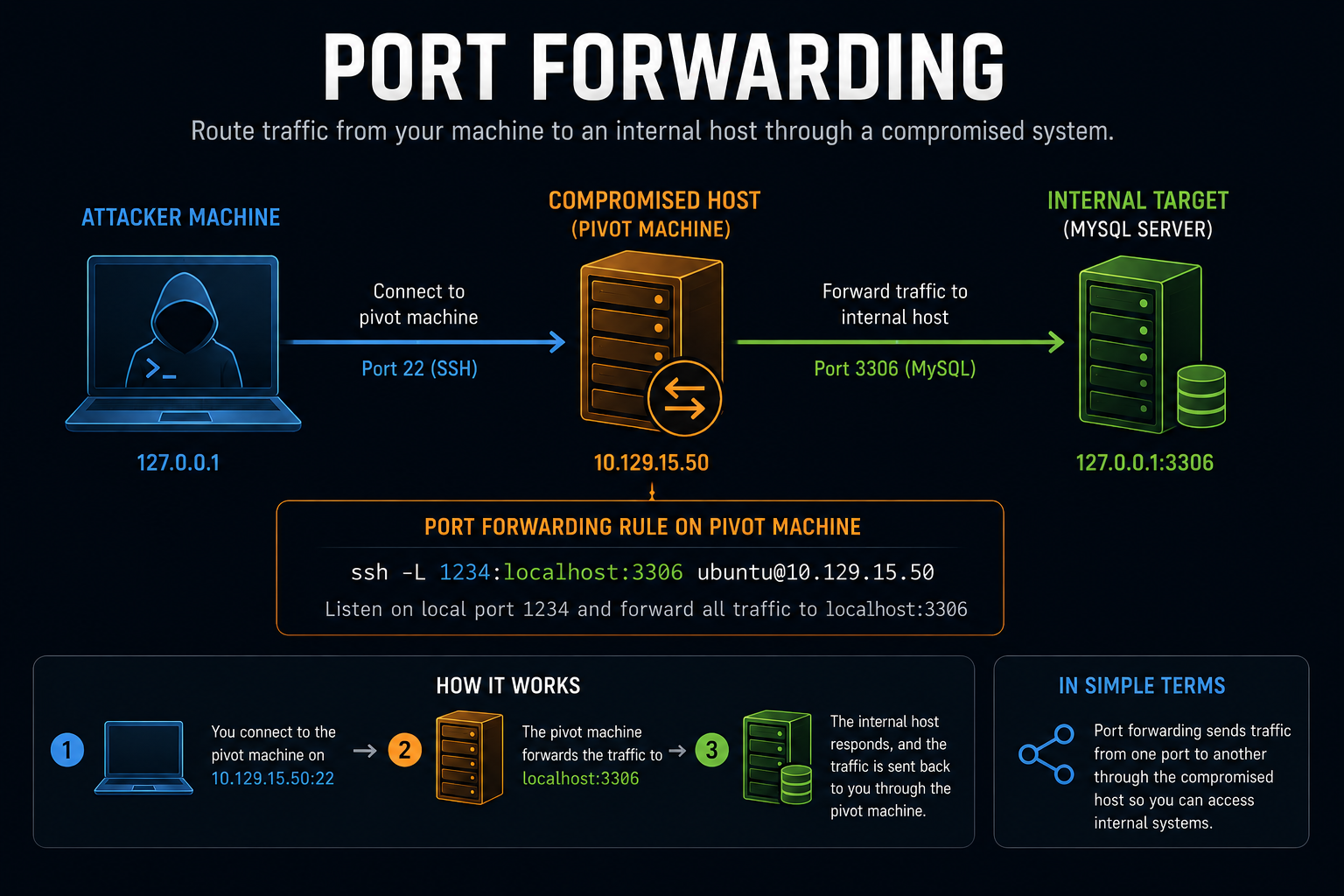
Example:
You SSH into a web server (port 22) and want to access a MySQL service on port 3306. Instead of interacting directly on the server, you forward that port to your local machine:
ssh -L 1234:localhost:3306 ubuntu@10.129.15.50Command breakdown:
- ssh = using the ssh protocol
- -L 1234:localhost:3306 = Connect our local port 1234 to port 3306 on the remote host
- ubuntu@10.129.15.50 = via the user 'ubuntu' on the machine located at 10.129.15.50
You can verify the connection with the netstat command:
netstat -antp | grep 1234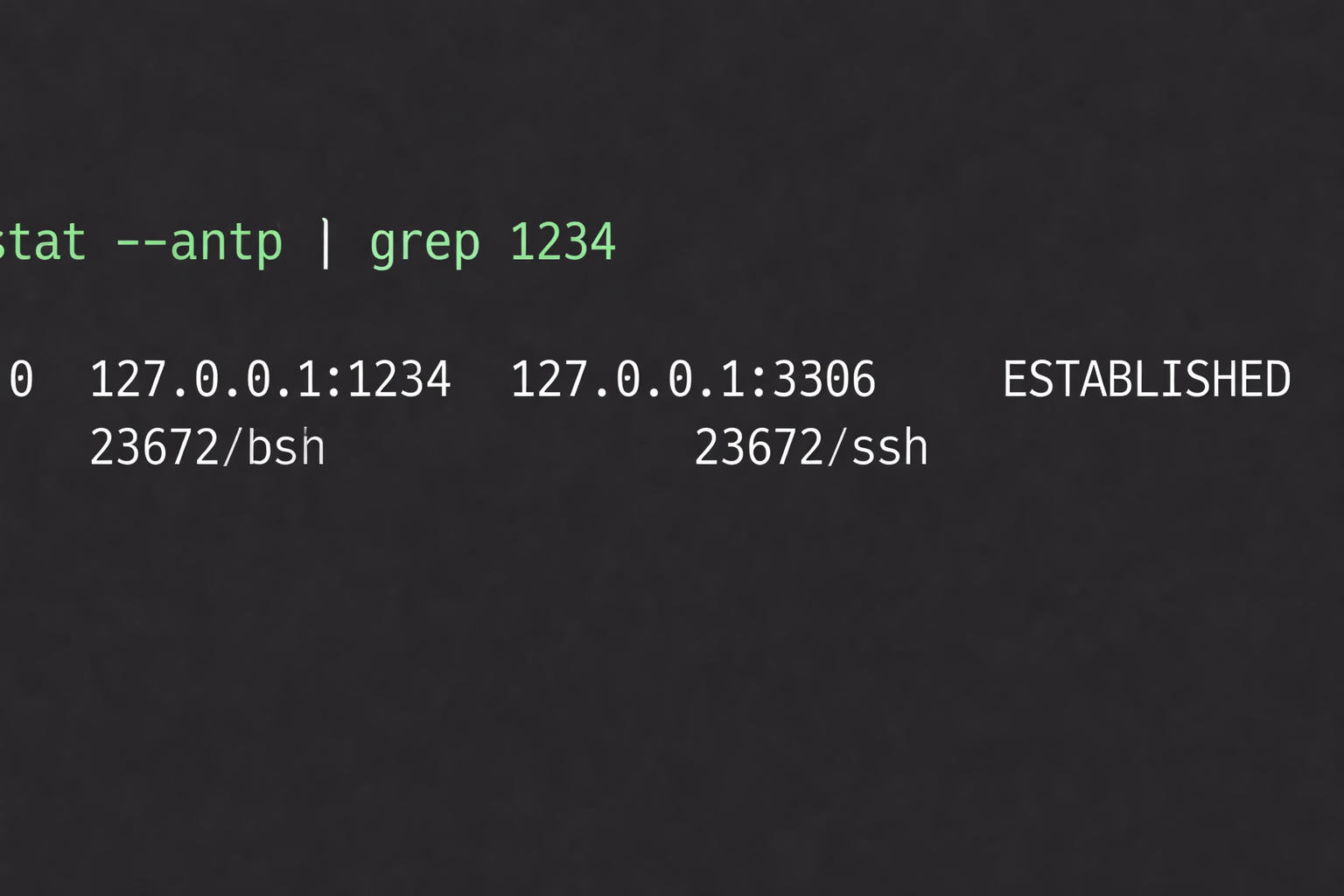
You can forward multiple ports as well using the same method:
ssh -L 1234:localhost:3306 -L 8080:localhost:80 ubuntu@10.129.15.50In fact, you can theoretically include as many ports as you like by adding -L
SSH Tunneling
Sometimes you do not know which services exist on the internal network. Instead of forwarding individual ports, you can use dynamic port forwarding. This creates a SOCKS proxy. SOCKS (Socket Secure) allows traffic to be routed through a proxy server. In the example below, the proxy server is the 10.129.15.50 machine, which is dual homed. Start a SOCKS proxy with:
ssh -D 9050 ubuntu@10.129.15.50Now configure proxychains by editing /etc/proxychains.conf.
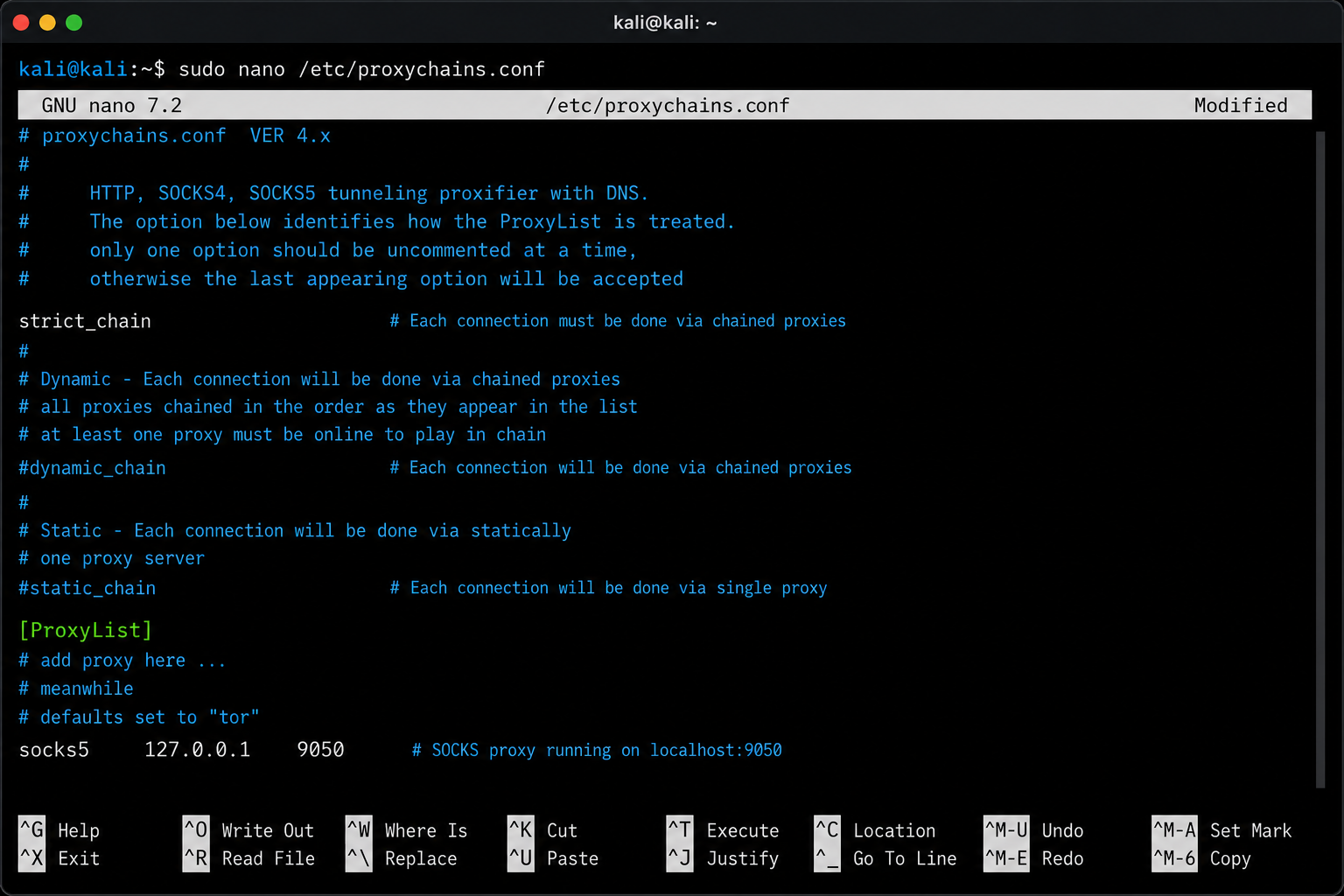
Then run tools through the proxy by prefacing each command with proxychains:
proxychains nmap -sT target_ip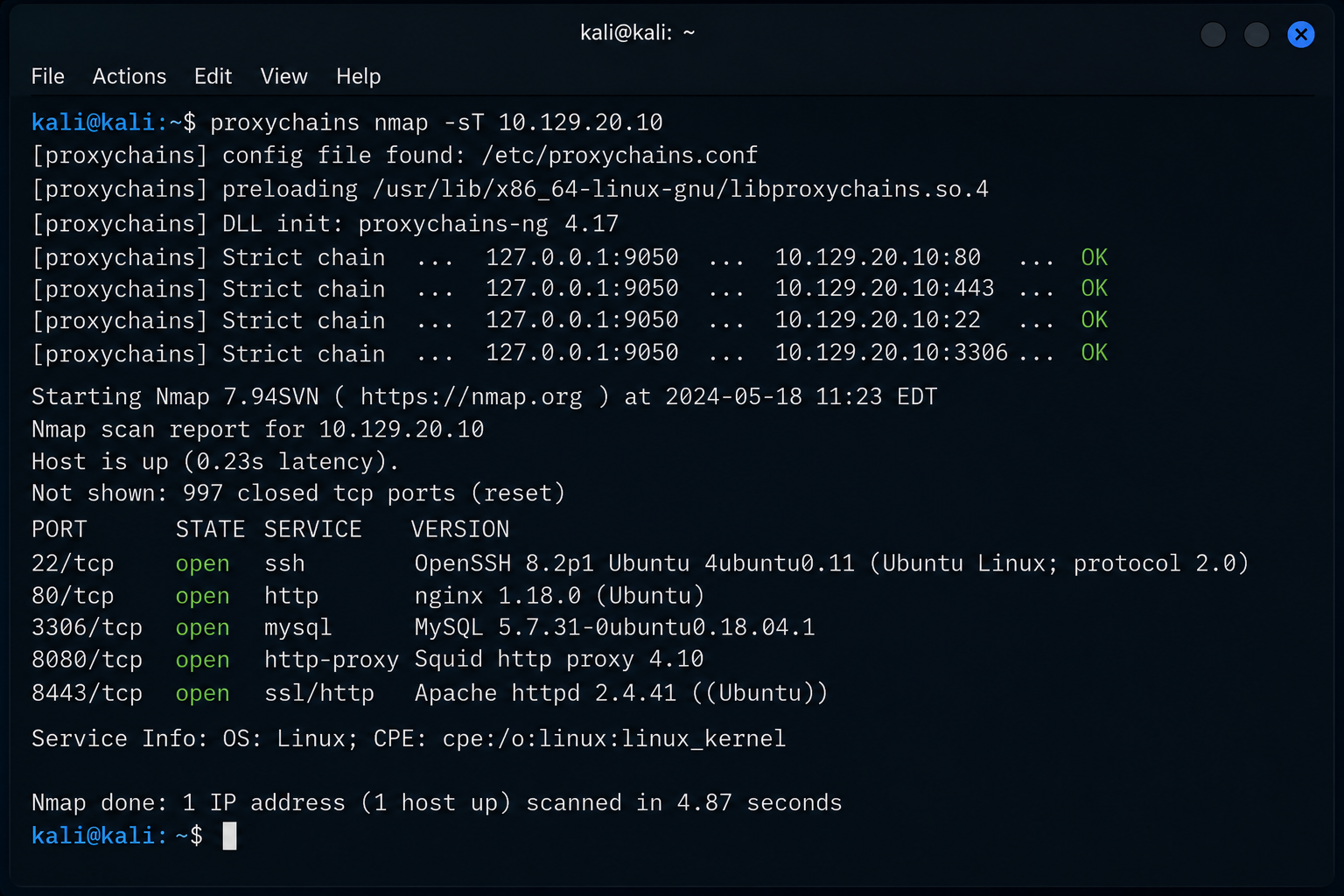
This allows you to route all traffic through the compromised host and enables full network scanning while hiding your real IP address and bypassing firewall restrictions. There are a couple different version of the SOCKS proxy with the major difference being support for UDP and authentication.
SOCKS versions:
- SOCKS4 → no authentication, no UDP
- SOCKS5 → supports authentication and UDP
SSH Pivoting with SSHuttle
There are many tools for pivoting:
- Chisel
- Rpivot
- Netsh
- Socat
- dnscat2
A simpler option is a tool called sshuttle. Sshuttle is a Python tool that automates tunneling without needing proxychains.
To install sshuttle:
sudo apt-get install sshuttleOnce installed, the command to run sshuttle is:
sshuttle -r ubuntu@10.129.15.50 10.106.0.0/16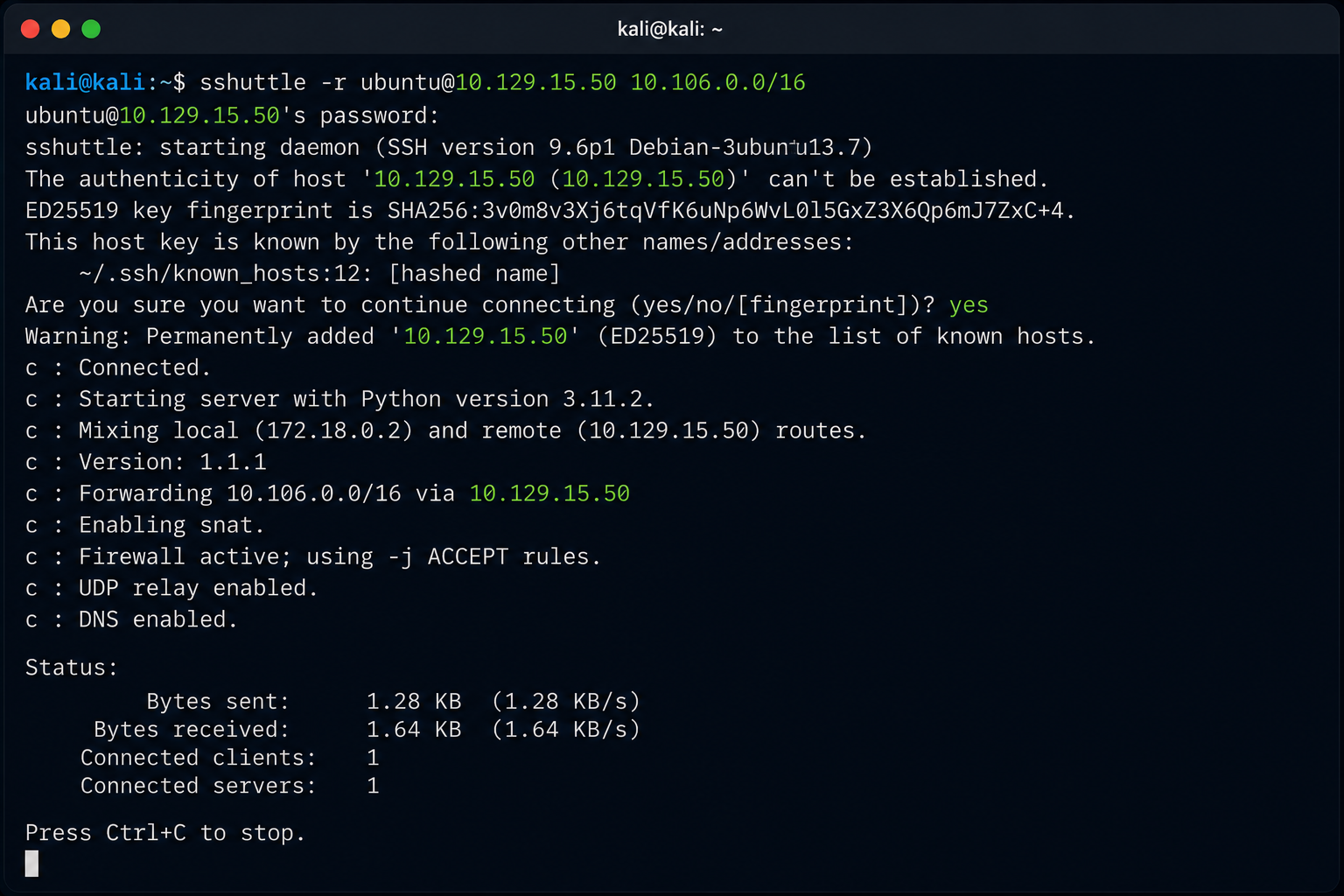
Now your machine can access the internal network directly without the need to remember to preface commands with "proxychains." You do need to keep the terminal you're using for sshuttle running, but that is easily overcome by using a new tab in your terminal and letting sshuttle run in the background.
Advantages:
- No need to prefix commands
- Works like a transparent tunnel
- Easier workflow
Limitations:
- SSH only
- No TOR or HTTP proxy support
Final Thoughts
This is a surface-level overview of pivoting, tunneling, and port forwarding. These are essential skills for penetration testing because real-world environments rarely allow direct access to targets. These are also required skills for any certification exam, so it is vital to have a good grasp on these concepts. As I mentioned before, there are many tools and methods to do the same thing, and what works best will vary by situation or just preference. With practice, you will find the pivot method that works best for you (my personal favorite is ligolo. The important part is understanding the underlying concepts. Once you do, you will open a whole other world of hidden subnets and internal networks.
Happy hacking.